' href='data:image/webp;base64,UklGRvYAAABXRUJQVlA4IOoAAABwBQCdASogACAAPrVInUmnJCKhMAgA4BaJQBb865KxPbznI1IXp3o3ISGt/WOhLkreyjgAAP7DOQdPQZfmFoaPR51dRXBWRPpEpLy0tev82wCAsurN2vbs/n1sdglmTT+RqQjbT5M/f7XAKBq+HgXZheGDPTNDTqs+vGm02LpDn4u9yYov9uC9VzPYpsUScChqaZHo2UhV/7u0kyt/Kn8rms/RL9o0toIOS3hISnY2QtkZCup21K3Jyx6tUCg43NUft5jNpHEeweltq21Z+gnmHaUzgm9/Xm6bZr5nNenQE7TBJEq4ghKLzAA='/%3E%3C/svg%3E)
Tips and Tricks: Edit Face and Background Independently
Table of Contents
Some photos are technically fine, but still — they don’t work. Most people start fixing their face. A little more brightness, softer shadows, smoother skin. But often, the face is not what’s holding the image back — it’s everything around it and the balance in between.
The background is too loud, too bright, or simply on the same visual level as the subject. There’s no hierarchy. No clear place for the eye to land first. The portraits are often flat, not because of editing, but because of logic and the balance inside.
Why Some Photos Don’t Work
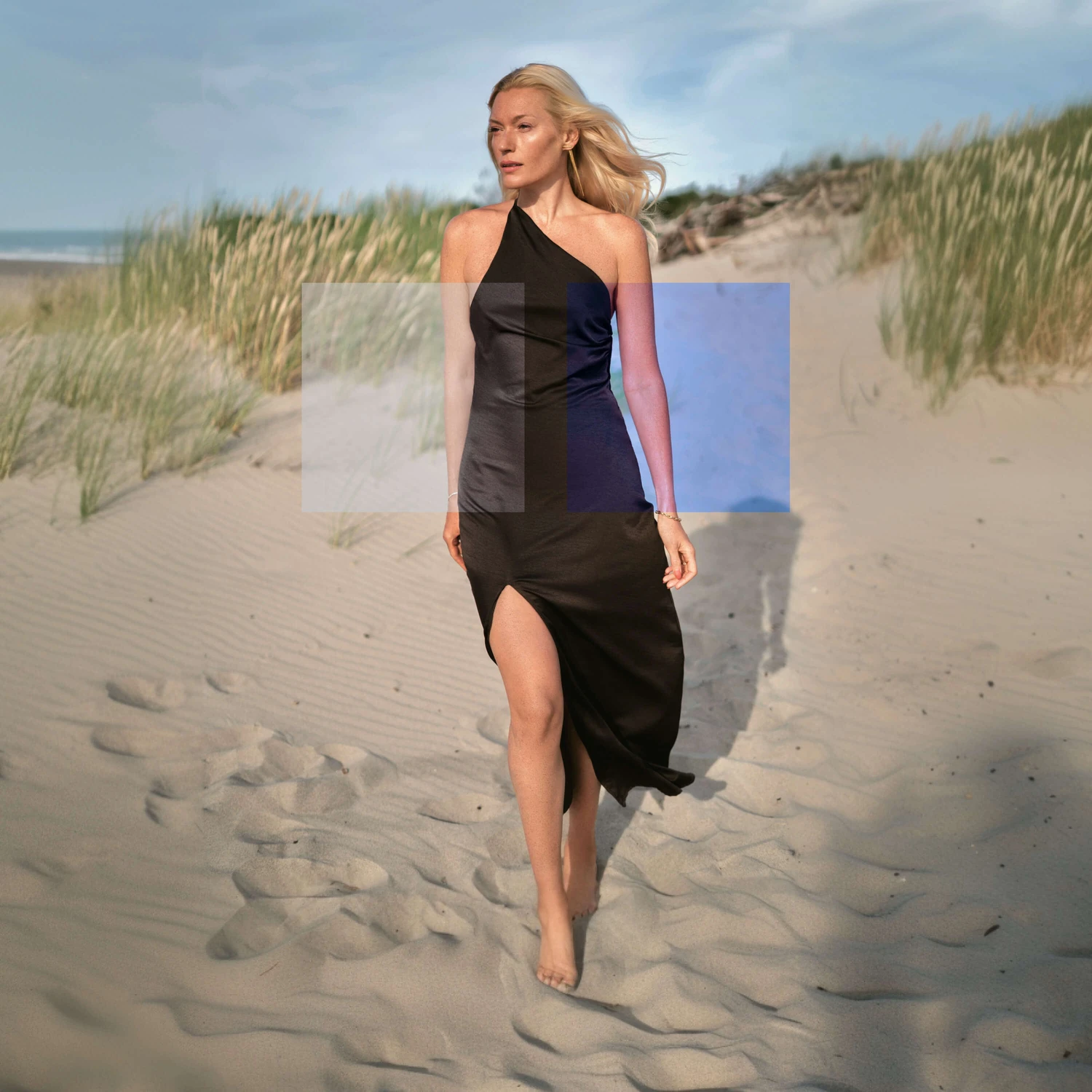
This is why professional retouchers rarely treat a portrait as a single image. They separate subject and background, adjusting them independently. The face can be lifted without touching the sky. The background can be darkened without affecting skin tone. Contrast can be rebuilt locally instead of globally.
A Different Editing Approach
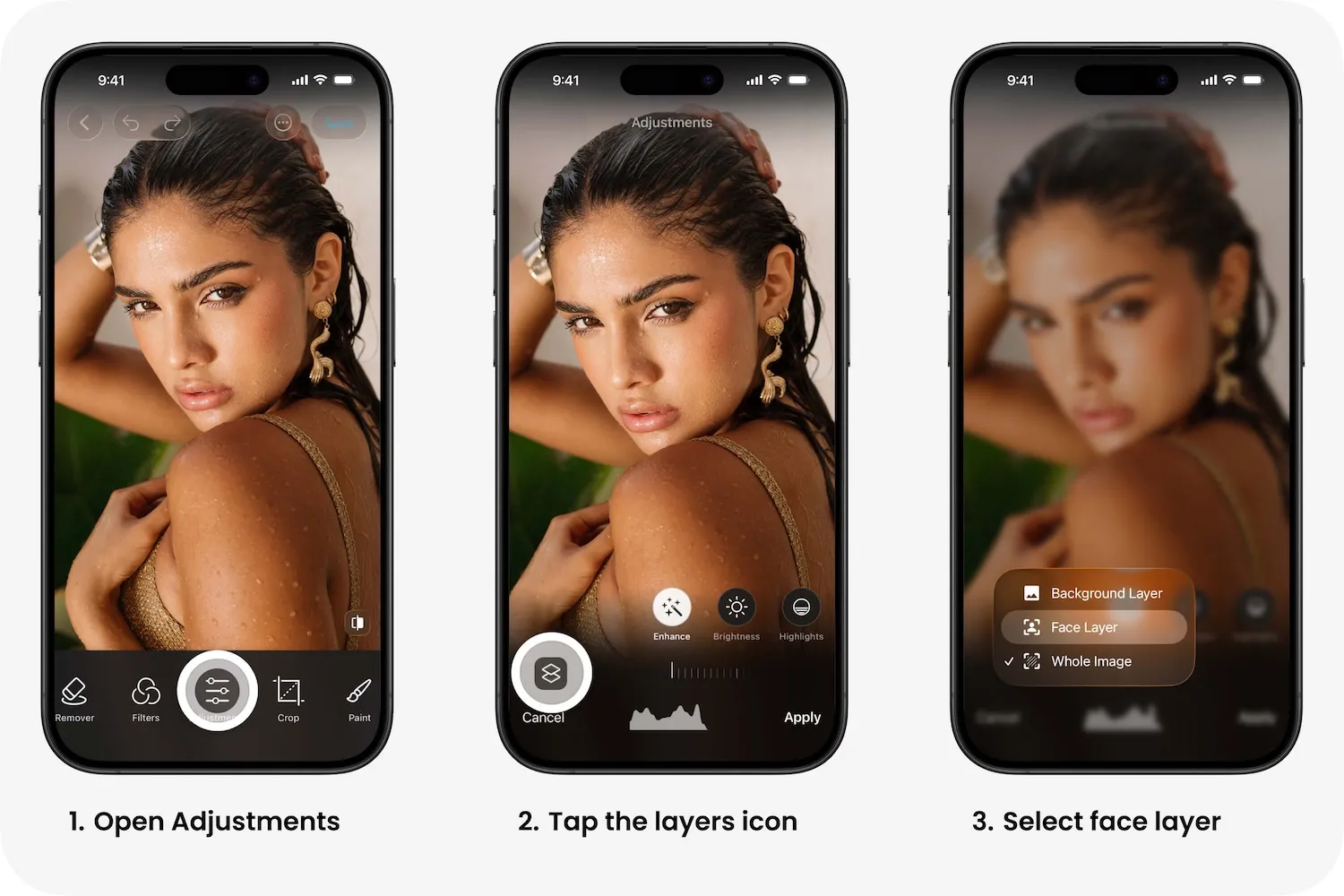
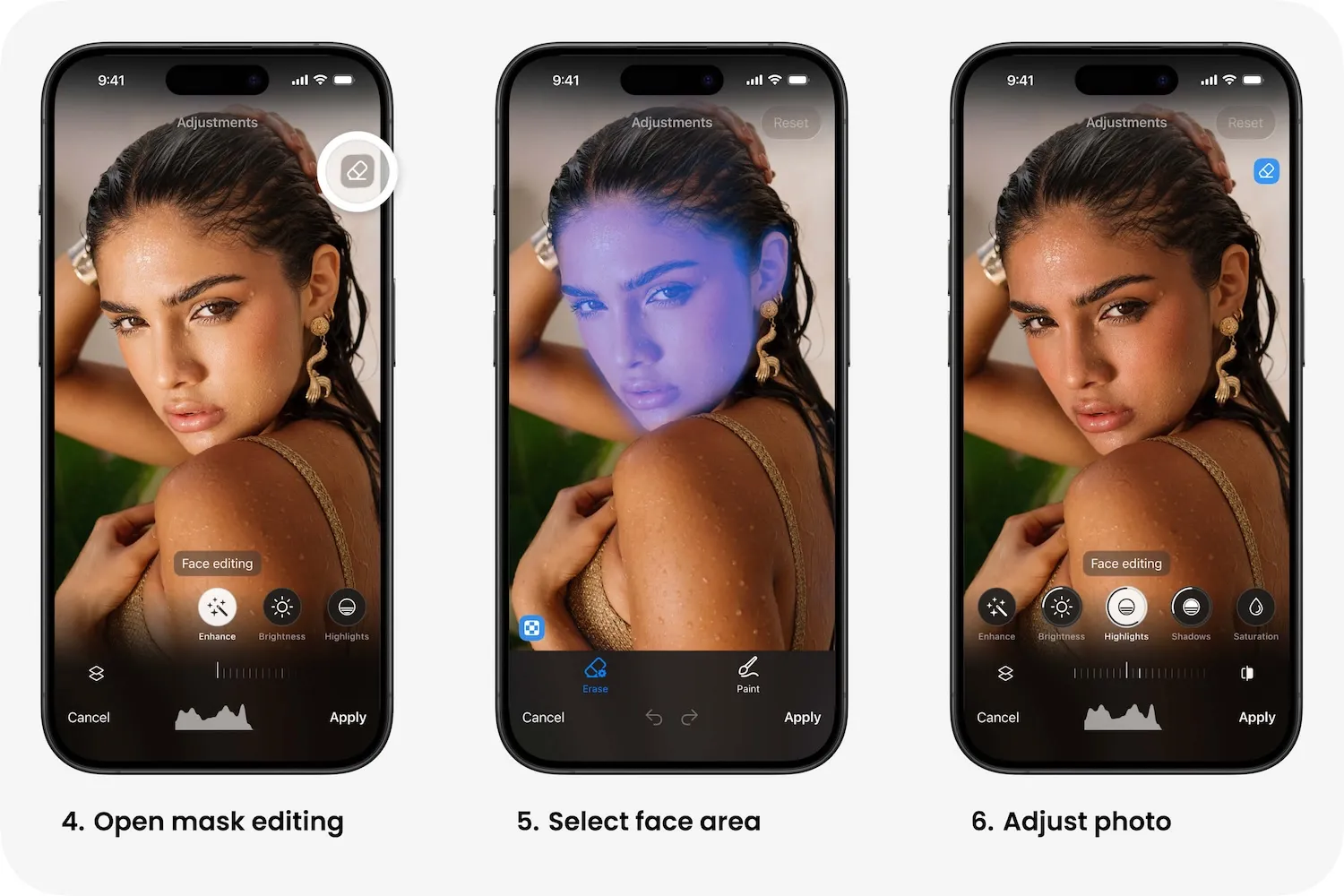
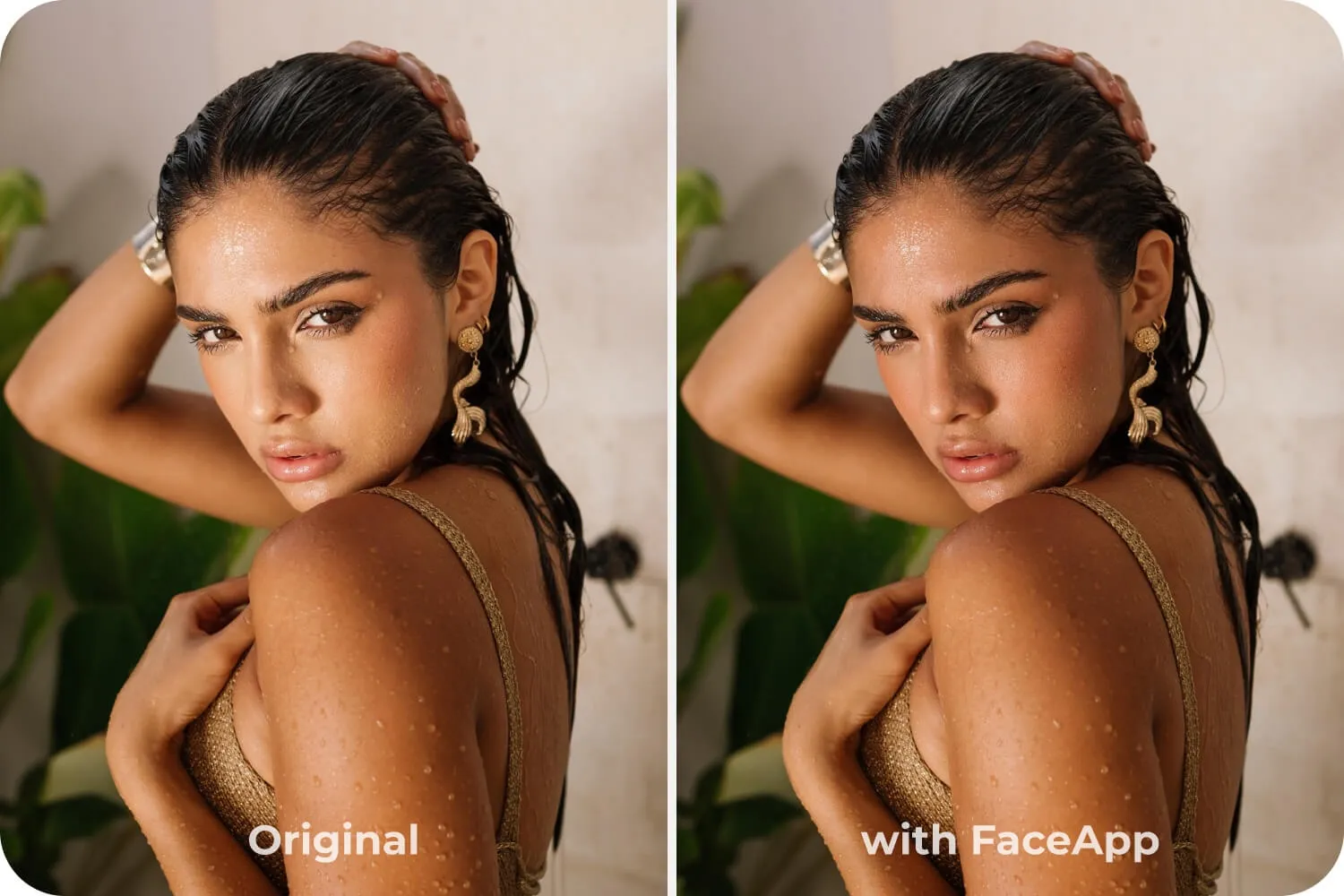
FaceApp brings this logic into a simple workflow. Inside Adjustments, you can switch between Face and Background layers and edit them separately. It’s a quiet tool, but it gives you something most quick edits don’t: control over attention.
How It Works
Open Adjustments, tap the layers icon, choose Face or Background, then refine with Mask Editing. Brightness, contrast, and saturation can be fixed locally, exactly where and how you want them.
Where It Matters Most
In outdoor light, this becomes obvious. The background can look perfect while the face is slightly overexposed. Global correction flattens everything. Local adjustment fixes only what matters and keeps the mood intact.
Or the opposite problem: the subject disappears into the scene. A small lift in facial brightness, or a subtle reduction in background intensity, restores separation without making the image feel edited.
Even saturation plays a role. Pulling color out of the background while keeping natural skin tones creates distance between the subject and the environment. The image feels quieter, more structured, less accidental.
Nothing dramatic happens. But the portrait stops feeling casual.