' href='data:image/webp;base64,UklGRqYBAABXRUJQVlA4IJoBAADQBwCdASogACAAPrVQnkynJKKiKAqo4BaJZACdMuDgaW4JkFUpO3nAOurmaTl/70DhwP9xytWapkyVf9fFMU5suXOb6CzwAAD+9NKLiNov8OO5vQ2LxqX17ePcZPihIzcv6aNScUOKXDk56G3bXL8p5OIoJR2gH7egqvG5KUjDdYlKPa3vKEjaWrvXJk+ARSXDyzTGA0H+gNbVtnaJrHqnXG0iAP4kdWgQb3L64fnRykafiIwXvz6QLkZ2Cs7i2hORnea3qwt92nB4Gv3yiulYnk+/5G7Tnl96xBy4v+D7XvS7o5a6j+odqSIVIPVRNMV80r0e9+nmQoMBv8ibxEfYBUSGDx4gByMsfxRyN7FP37WGZTmzonR513Ax5yIUxbPYsK7bj2/57p3BmNZkcPNirued8nmpeoDJ82rUIioMWW3C3dLwVCpwRpguO0TBSGRnVe6LL6MuvYL7hpAHduWtIwDeVjAbNo50ZPXSMZQMdVOfqYZJ+WHNZpTAcTCDa1mAScg7CgyxsM+qKIS8iP0nTuykcsKwl9N+AA=='/%3E%3C/svg%3E)

The Case for a Minimalist Editing Workflow
Table of Contents
- Why Less Is More in Photo Editing
- The Three-Step Minimalist Workflow
- Keeping Everything in One Place
- FAQ
Why Less Is More in Photo Editing
In a recent article, we talked about the power of doing less — and doing it well. The same principle applies here. Many creators believe better results come from more tools, more layers, more adjustments. In practice, the opposite is often true.
A cluttered workflow slows you down. Jumping between apps increases inconsistency. Too many choices create hesitation. What starts as creativity turns into decision fatigue.
That’s why minimalist photo editing isn’t about limiting yourself — it’s about sharpening your focus.
The Three-Step Minimalist Workflow
A strong, simple editing workflow usually follows three steps. First, adjust the fundamentals: exposure, contrast, and overall tone. These have the biggest visual impact and often fix 80% of the image. Second, apply a preset to establish consistency and mood. Third, make only essential refinements — light retouching, subtle color balancing, or small distractions removal. Then stop, take a look, and post it.
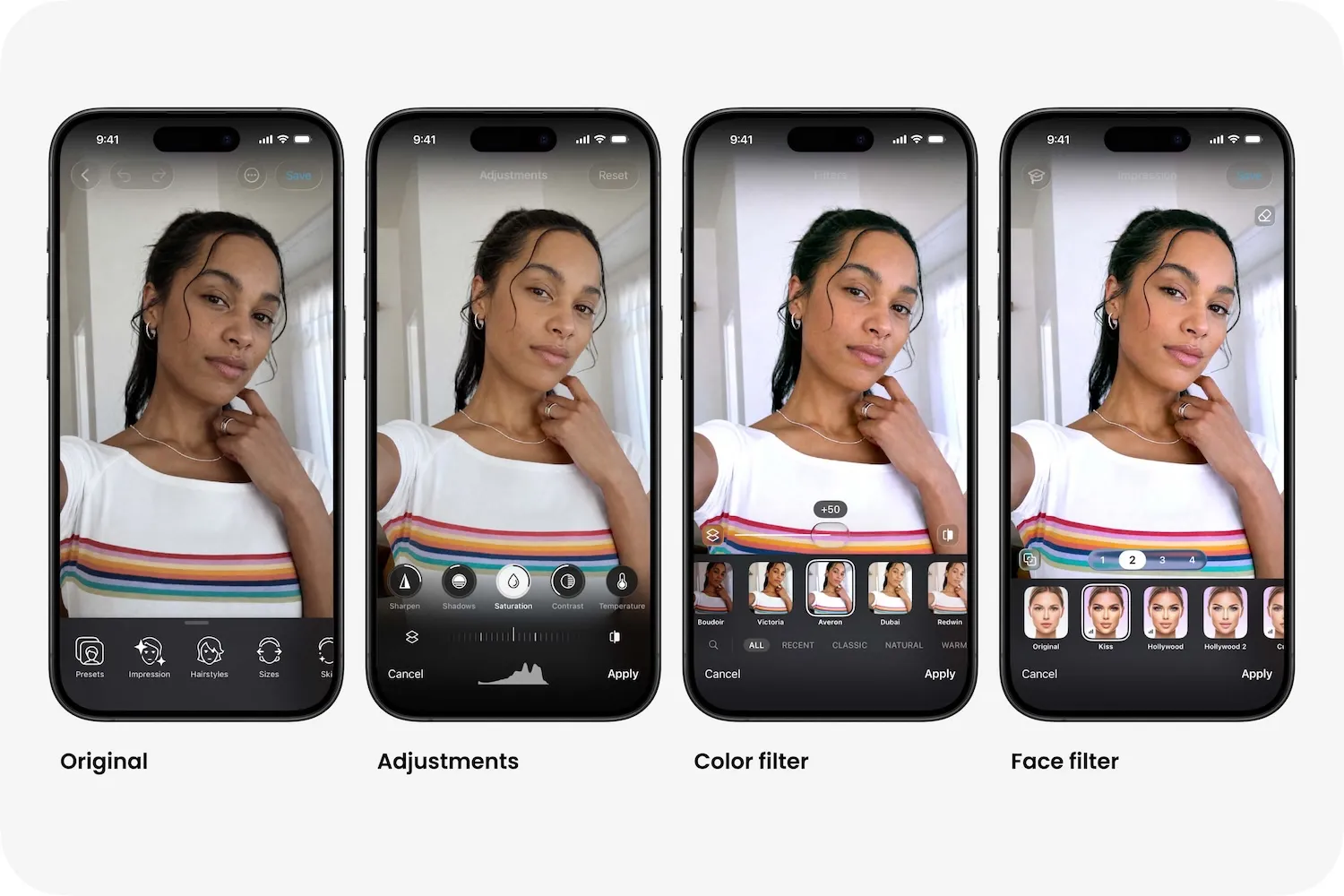
This approach reduces friction and supports efficient photo editing. Instead of experimenting endlessly, you make clear, high-impact decisions. The result is cleaner, more intentional images — and a workflow that feels manageable.
Keeping Everything in One Place
The problem with using fewer editing tools is rarely quality. It’s consistency and confidence. Many creators assume they need multiple apps to handle lighting, retouching, and styling separately. But switching platforms often leads to mismatched tones and overworked photos.
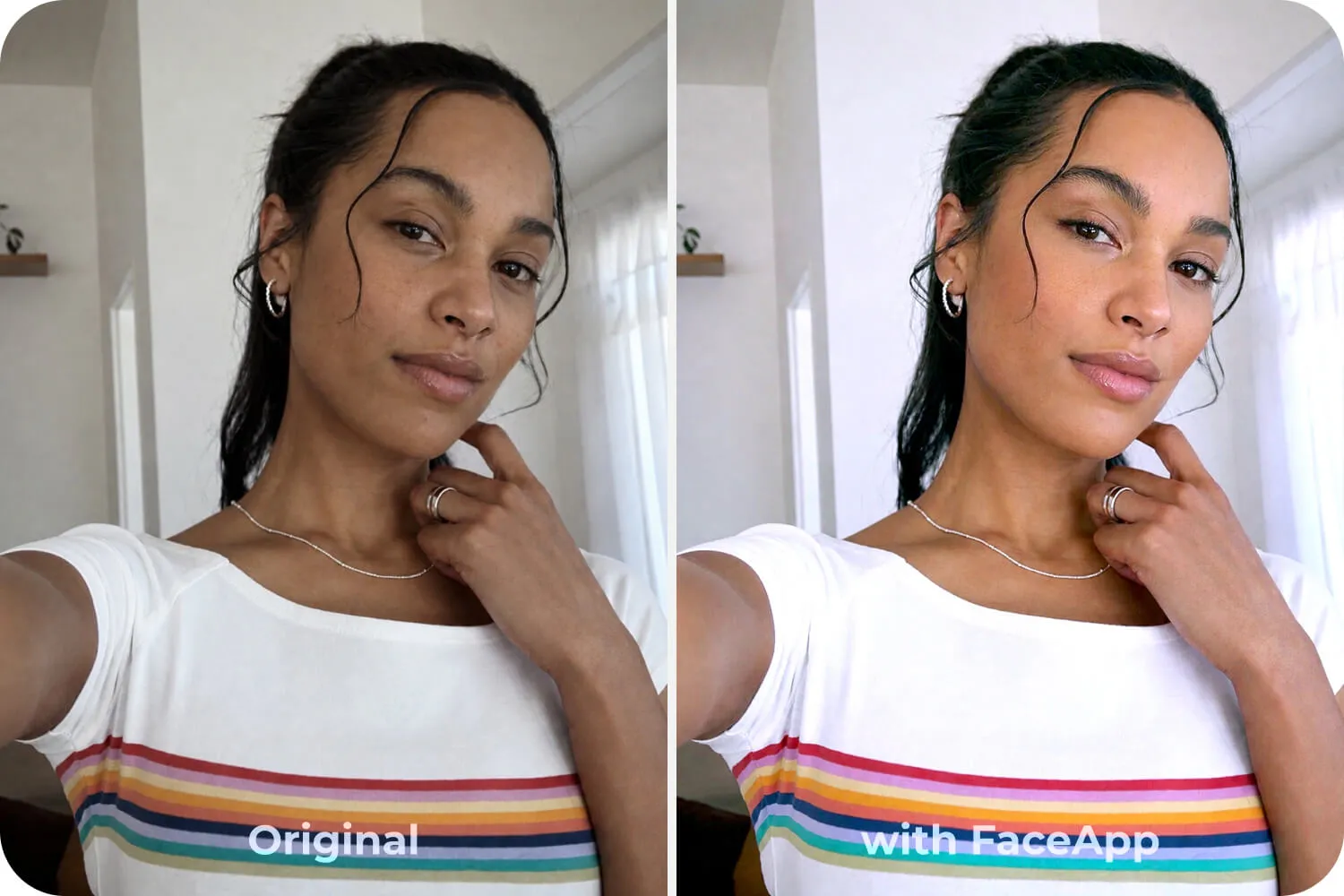
A streamlined FaceApp workflow keeps everything in one place. Face-aware adjustments, natural retouching tools, and style presets work together, eliminating the need for app-hopping. You refine, enhance, and finalize without breaking visual continuity.
The outcome is clean photo edits that feel deliberate rather than layered.
Minimalism in editing isn’t about restriction. It’s about clarity. When your workflow is simple, your creative decisions become stronger — and your photos reflect that focus.