Top Photo Editing Trends to Try This Year
Top Photo Editing Trends: 5 Modern Styles to Refresh Your Photos
Refresh your style with five modern photo editing trends. Explore cinematic tones, soft realism, and creative backgrounds with FaceApp.
Table of Contents
- Why photo editing trends evolve so quickly
- 5 Photo Editing Trends
- How to explore trends without losing your style
- FAQs
Why Photo Editing Trends Evolve So Quickly
Trends move fast. What felt fresh a year ago can suddenly look dated, and chasing every new trend often leads to over-editing or copy-paste aesthetics. Creators want their visuals to be current — but still personal, natural, and recognizably their own.
The good news: staying visually relevant doesn’t require complex tools or hours of experimentation. Understanding a few key photo editing trends is often enough to spark new ideas and refresh your style without losing authenticity.
Here are five creative photo editing directions worth trying this year — all flexible, subtle, and easy to adapt.
5 Photo Editing Trends
Trend 1
Subtle cinematic tones focus on soft contrast, balanced shadows, and gentle color depth. This look adds mood without drama and works especially well for everyday scenes, portraits, and travel photos.
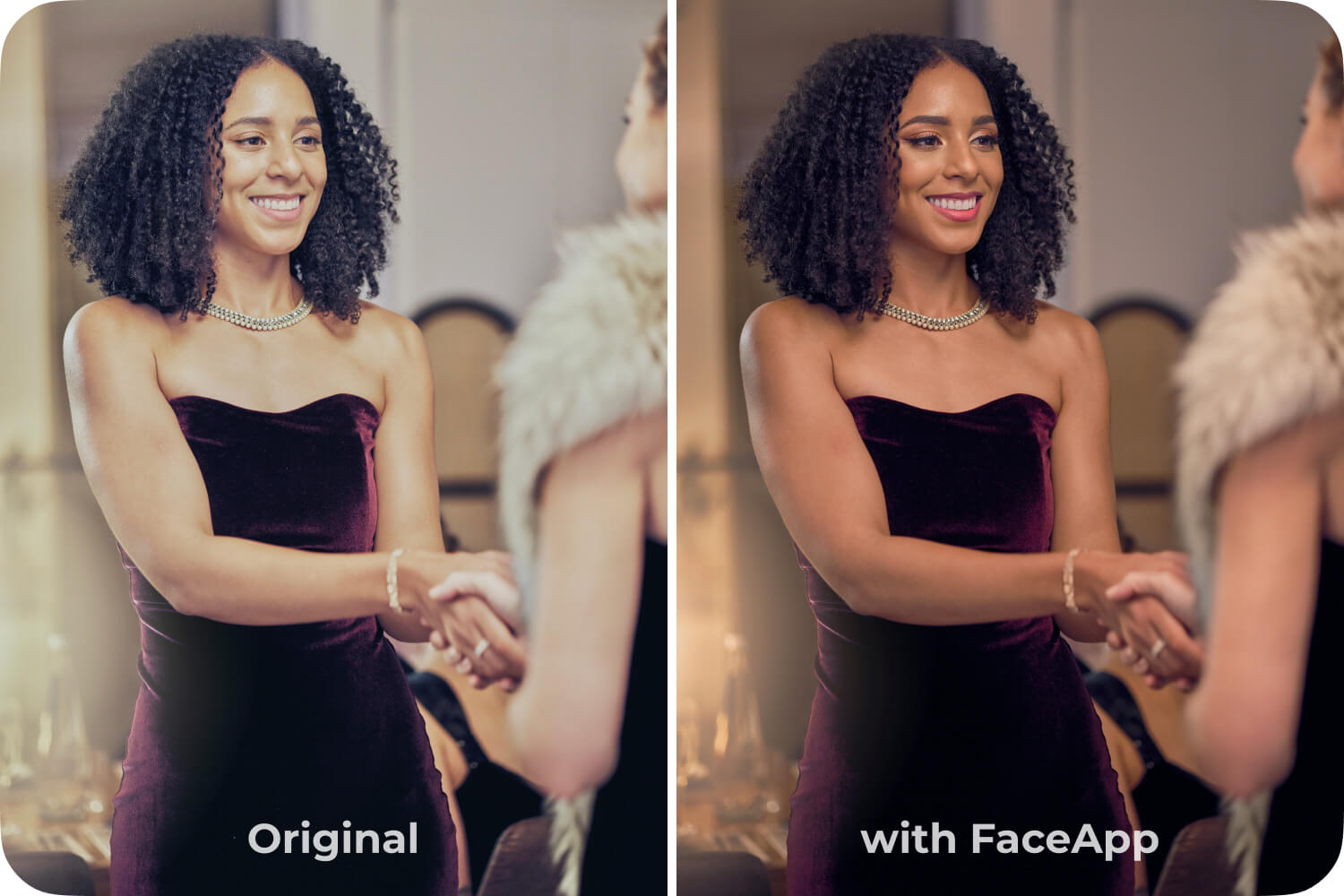
- Soft Contrast Preset (Curves)
- Makeup 2 (strength 2)
- Fresh Skin (strength 2)
- Hollywood (strength 3)
Trend 2
Soft realism is all about restraint. Light skin smoothing, minimal color correction, and natural lighting adjustments help photos look polished while staying true to real textures and details. It’s one of the most popular modern photo styles right now.
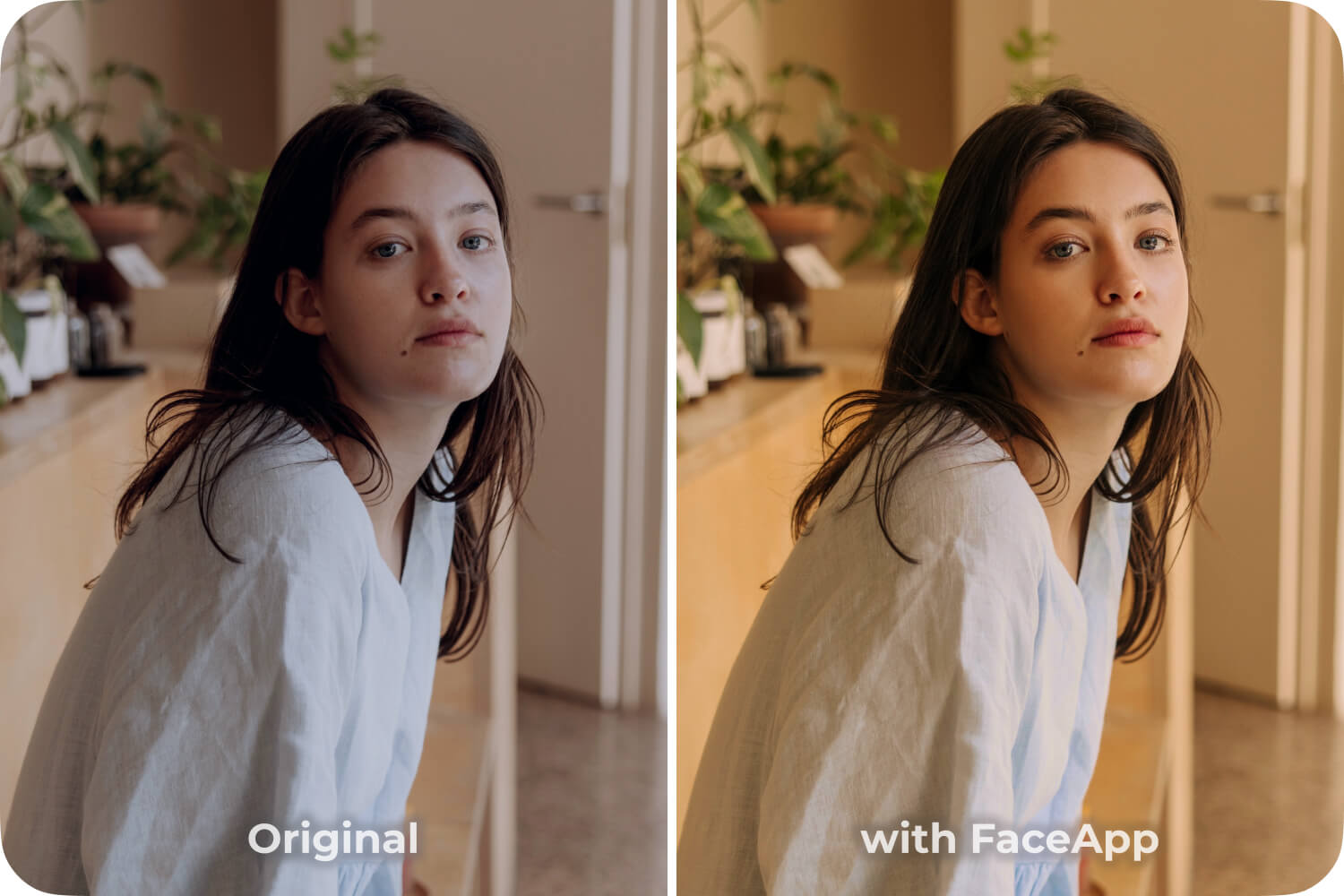
- Brighten Preset (Curves)
- Makeup 2 (strength 1)
- Kiss filter (strength 1)
Trend 3
Expressive color grading uses color as an accent, not a filter. Slight shifts in warmth, coolness, or saturation can set a clear mood without overwhelming the image. This trend is ideal for creators exploring artistic photo editing in a controlled way.
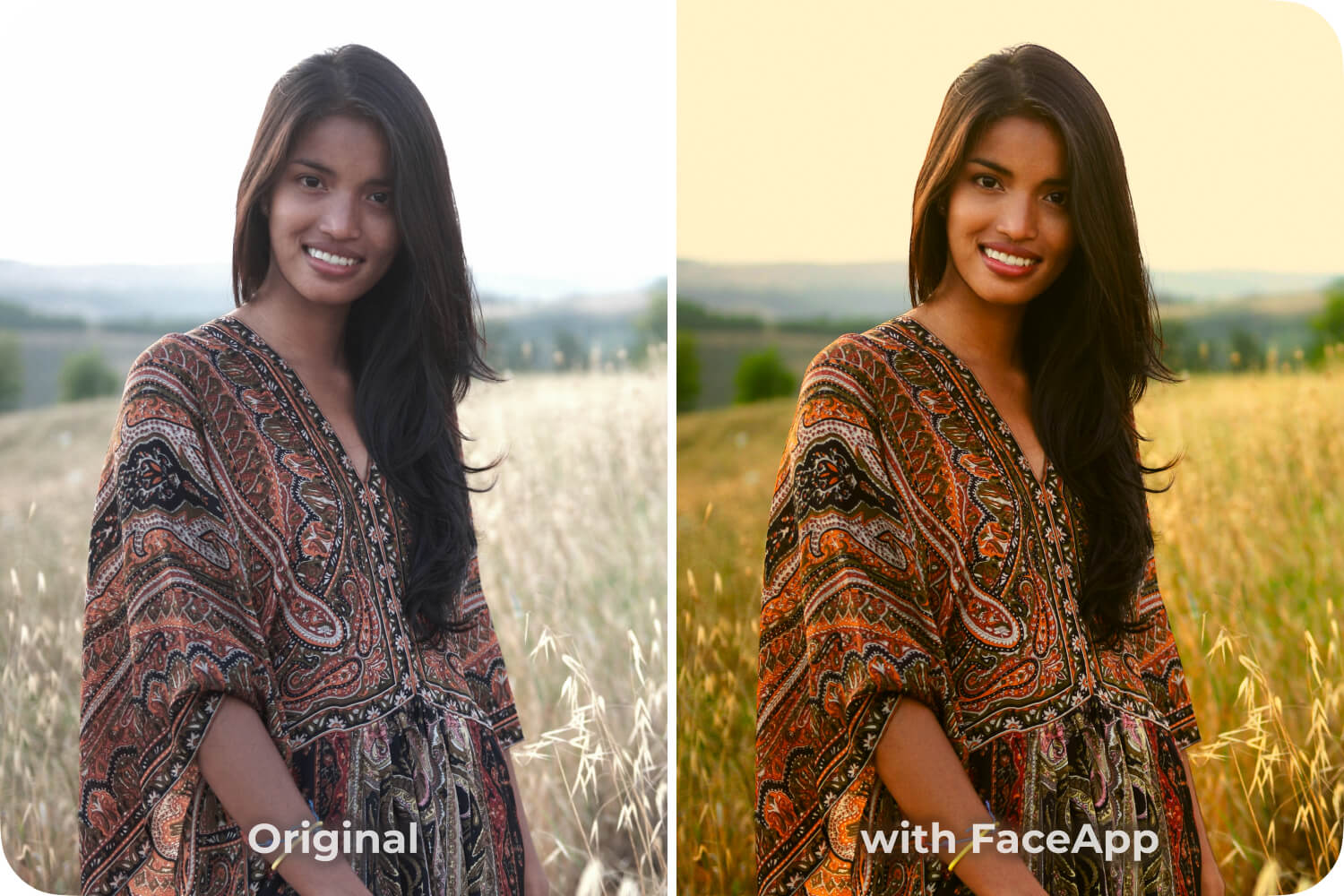
- Enhance +15 (adjustments on the face layer)
- Contrast +20 (adjustments on the background layer)
- Temperature +40 (adjustments on the whole image)
- Kiss filter (strength 1)
Trend 4
Creative backgrounds allow you to subtly reframe a photo. Clean, stylized, or softly blurred backgrounds help direct attention without distracting from the subject, making visuals feel more intentional and contemporary.
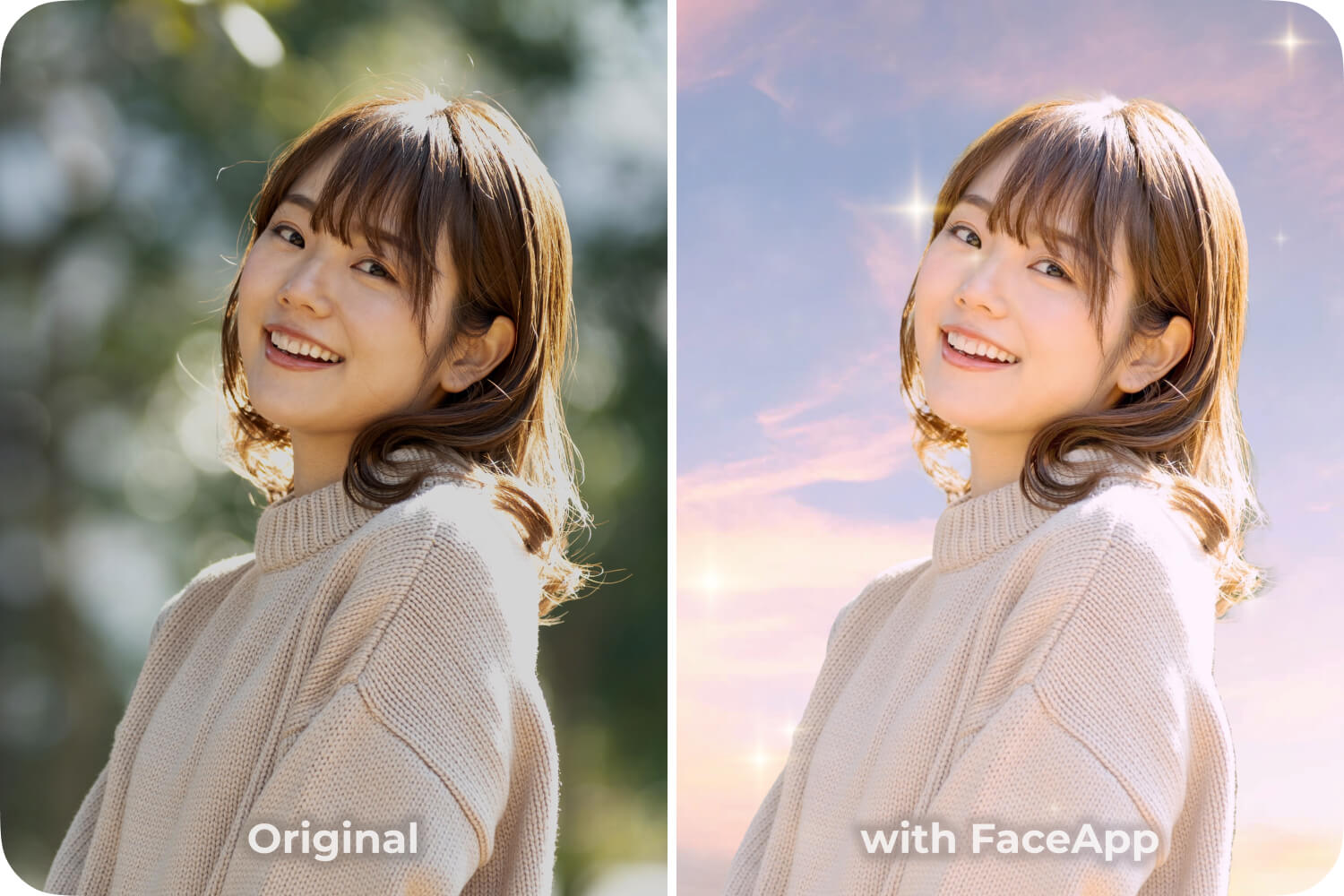
- Soar Background
- Stellar Luster Overlay
- Cute filter (strength 2)
Trend 5
Stylized portraits combine light effects, gentle enhancements, and selective adjustments to create a distinctive look that still feels natural. The key is balance — stylized, not artificial.
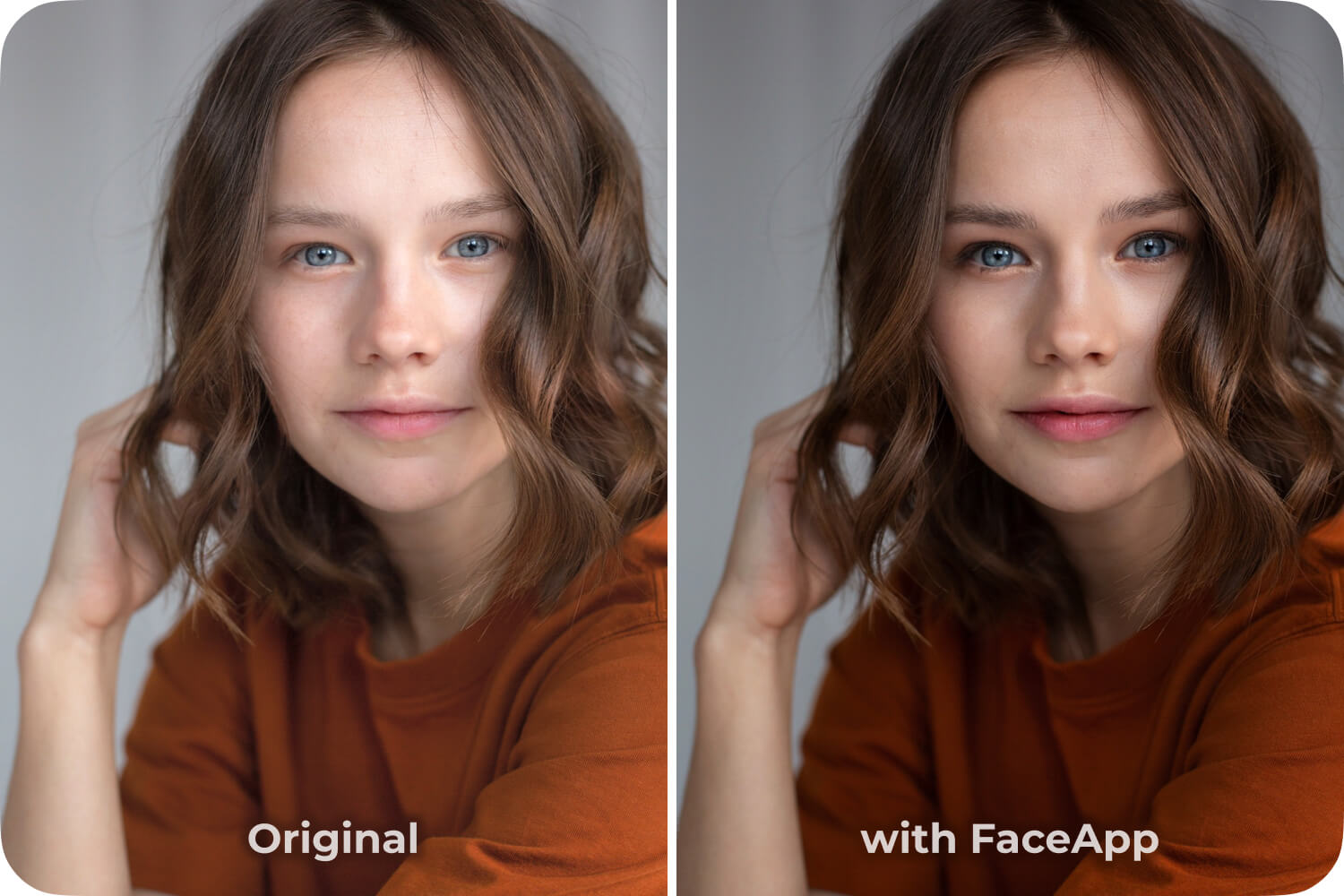
- Blush filter (strength 1)
- Enhance +15 (adjustments on the whole image)
- Darken preset (Curves)
How to explore trends without losing your style
With flexible tools like FaceApp creative tools, these trending photo edits are easy to explore, remix, and personalize. Instead of following trends blindly, creators can treat them as inspiration — adapting what fits their style and leaving the rest behind.
Follow these trends or create your own with FaceApp.
FAQs
Q: What are the most popular photo editing trends right now?
A: Subtle cinematic tones, soft realism, expressive color grading, creative backgrounds, and stylized yet natural portraits are among the top trends.
Q: How can I try new editing trends without overediting?
A: Focus on small adjustments, keep colors balanced, and treat trends as inspiration rather than strict rules.
Q: Are modern photo editing trends suitable for everyday photos?
A: Yes. Many current trends emphasize natural tones and subtle enhancements that work well for daily content.
Q: Can I follow trends and still keep my own style?
A: Absolutely. The best approach is adapting trends to fit your aesthetic instead of copying them exactly.