' href='data:image/webp;base64,UklGRgICAABXRUJQVlA4IPYBAABQCQCdASogACAAPp08l0mloyIhN+gAsBOJbACdMoM0mKNdme872YJsCxBMgqgRzc4mVQDNvG/qDrhDZLNqVWa5FaXYohzh0qhu6qhK8DG3n6KkQAD+/mtVcnB+J2Pbal68Y2veZYWWul8063vf8R1r4a6n4jf2REV3PRqNKtgoUDjiQZ0s5TTTvMYErk+3vxWfnaobUr/xX3jXpZ69YO+4Erv6rVDYRefY7xy2F9vnbHrfT9eoWXJc5eyPZNOdq0/CBq/4aT0gRQ0JItl1sk0lcWB33g/P8f6XWsgUT01hm31anUayedrVKqawD71KjHpbfk26997JuYneYZfe+gRfLALwCGAbayJW30kWIneDXzRoMkyQlyMyfiVbI2GnWFjTwjheZrTR23KsqKTvS6bVf2uiYb2T39speRkshN3Q8dCca2rGMlg++6DeOEI1JBnug5Hodn1HDO98xy/kGCzotvwLysDdrQ/PSxhNgDsWFYdKD314/aNzUdR1C4WglntZmiRtiOYj5p6CxTpiRRaG54VLIA+rZzHxxK6phbeoTw19MiuGhzfwmxrXU2RhOjSu2Qp/PQDzHUsUpQvmZezcpH4RpQ2aHSq1bG4WS6zR94faNzp84KBuNxhcYqfNu8F7Q2TbK5dAo/kaxbzSAKcQBEMZgAAA'/%3E%3C/svg%3E)
How to Edit Travel Photos That Actually Stand Out
Table of Contents
- Keep the Place Real
- The Right Filters for the Right Moment
- When the Background Is the Problem
- Travel Photos Are Really About Memory
- FAQ
You finally make it to the place you’ve been dreaming about for months. The Eiffel Tower at sunset. A tiny street in Rome. A beach that looked impossible on social media.
You take the photo fast, before the light changes or the crowd moves in. Then you look at it. You’re squinting into the sun, exhausted from the flight, your hair gave up somewhere between the airport and the hotel. The moment felt cinematic in real life — but the camera missed the feeling completely.
That’s the strange thing about travel photos: the best memories often happen in the least photogenic conditions.
Keep the Place Real
The easiest way to make travel photos look artificial is by overprocessing the environment. Oversaturated sunsets and dramatic skies make images feel less believable, not more memorable.
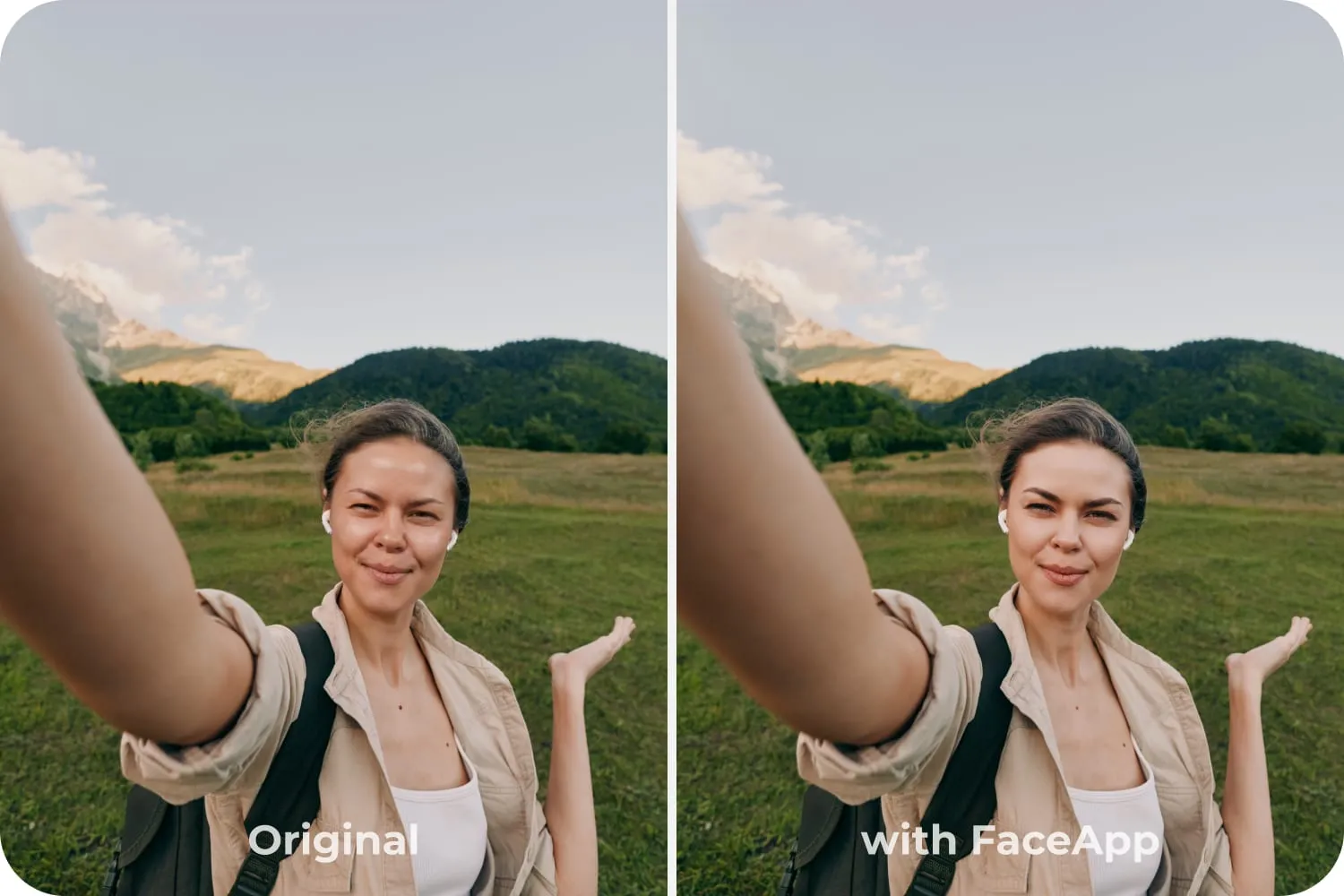
A stronger approach is subtler: keep the place intact and focus on refining the person in the frame. Instead of rebuilding the entire image, FaceApp’s editing tools let you gently polish the details cameras tend to exaggerate during travel — tired eyes, uneven lighting, windblown hair, skin texture after a long day outdoors.
The Right Filters for the Right Moment
Travel photos call for filters that enhance without overpowering. Skin filters help correct the effects of sun, heat, and exhaustion: evening out redness, smoothing texture without removing it, restoring a natural glow after a long day of walking. And for moments when you want to look a little more put-together than you actually were — the Makeup filters add subtle polish without looking out of place in a candid travel shot. A light lip, a touch of warmth, brightened eyes. Enough to feel like yourself at your best.
When the Background Is the Problem
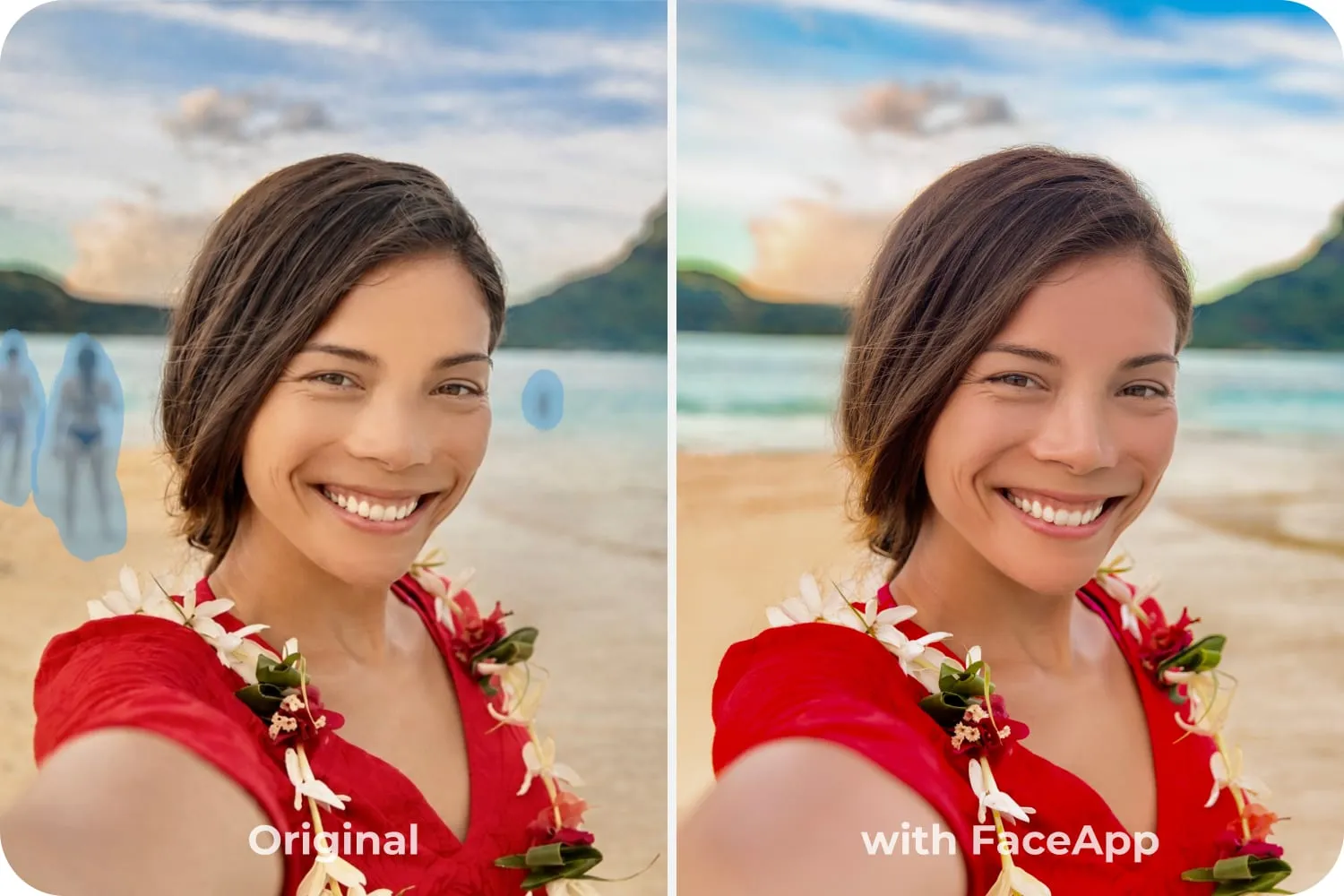
Sometimes the issue isn’t you at all. Travel photos happen in public spaces, and public spaces are messy — strangers, signage, crowds gathering around famous landmarks. That’s where FaceApp’s Remover becomes useful. Removing background distractions isn’t about replacing Paris with a fantasy sunset. It’s about shifting the emotional focus back to the subject and the place. A crowded street suddenly feels cinematic. A landmark shot feels more personal.
Travel Photos Are Really About Memory
Every travel photo is a collaboration between reality and memory. Cameras often fail to capture emotional reality accurately — you remember a trip warmer, brighter, more cinematic than the raw footage shows.
The best travel photo editing isn’t about perfection. It’s about alignment — bringing the image closer to the experience you actually had. You can’t redo the wind, the noise, or the expression that disappeared a second later. But you can make sure the final photo reflects the version of yourself that was really there: tired, happy, overwhelmed, alive — and looking a little more like the person you remember being in that moment.